
Govern every agent, wherever it's built
Build agents anywhere. Govern them through Vayon AI. The Agent Control Center keeps one Unified Agent Inventory of internal, external and code agents — each with an owner, a risk level, permissions and a governed identity. Significant actions pause for human approval, and every run, change and approval is kept as reviewable evidence.
Govern. Route. Audit.
One inventory for every agent
Vayon AI keeps a single Unified Agent Inventory of every agent it can identify — agents built inside Vayon AI, external agents built on any framework, and code agents. One place to see what each agent is, who owns it, how risky it is and what it may do.

Filter and govern by type
Filter the inventory by category — internal, external or code — to review and manage each kind of agent under the same governance model.

Build an agent from inside Vayon AI
Register an agent from inside the product: give it a business and technical owner, a risk level, a sensitivity ceiling, and explicit limits on the tools, actions and task types it may use. An AI assist can draft these fields from a short description — it saves nothing until you review and confirm.

Bring external agents under governance
Register an external agent and bind it to an authorized technical identity — an integration client — so it can only act through an approved machine identity. Vayon AI also surfaces external agents seen in authenticated gateway traffic, from explicit Agent-ID metadata, that are not yet registered — as safe metadata only, never a prompt or payload — so you can review and register them.

Human approval for significant actions
A significant action — a data write, a high-impact or high-sensitivity step, an external call — pauses for a human decision instead of running on its own. The request is bound to an exact action plan. Separation of duties is the default, and any check that fails keeps it: a setting can allow a requester to approve their own request, and a compliance profile overrides that setting and requires a second person regardless.
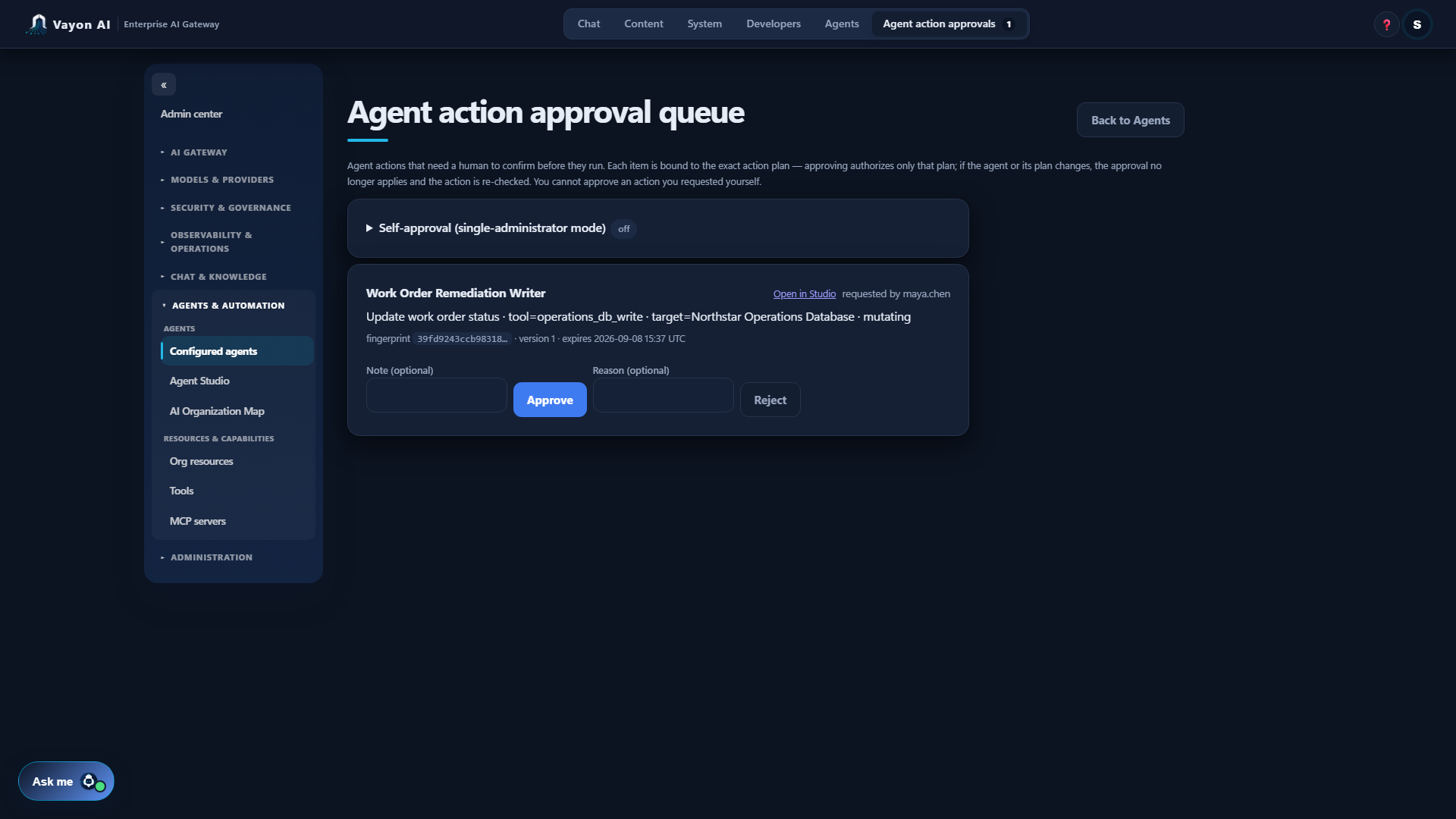
How the approval flow works
Request, policy evaluation, approval required, human decision, revalidation, execute or block, audit evidence. Policy evaluation intersects the actor's authority, the agent's own grants, its workload identity and organizational policy — an agent can never widen its own authority. Before an approved action runs, Vayon AI re-checks the action-plan fingerprint, the agent's version, its lifecycle and the approval's validity; if the agent or its plan changed, the approval no longer applies. Not every action needs approval — read-only, low-impact work can run within policy.
Evidence for every run, change and approval
Vayon AI keeps a read-only record of what each agent did, what changed and who approved what. Runs, an immutable version history and the approval trail are bound to each action plan's fingerprint — safe metadata only, never the agent's payload, prompt or secrets.

Design, test, publish and operate governed agents
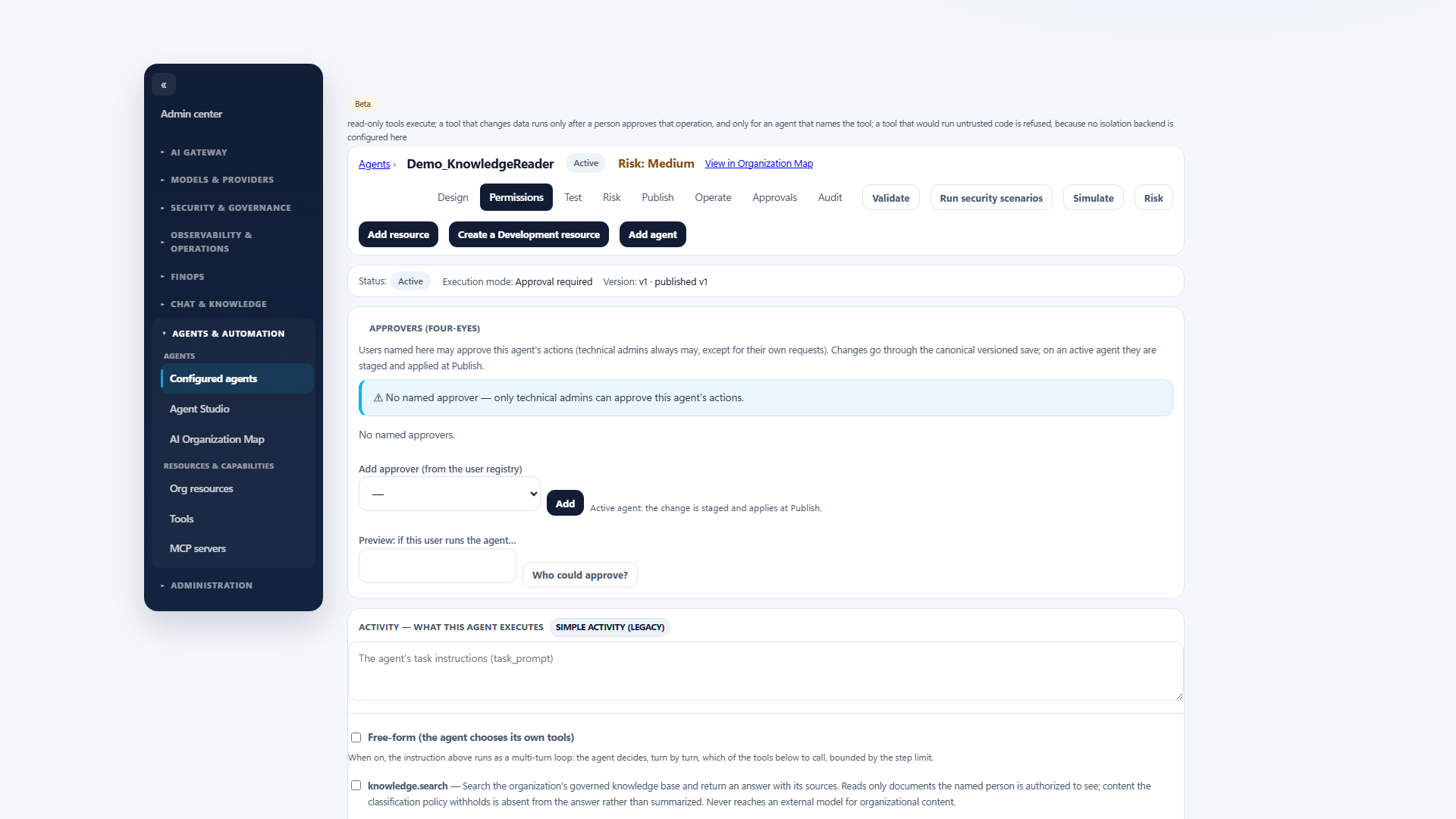
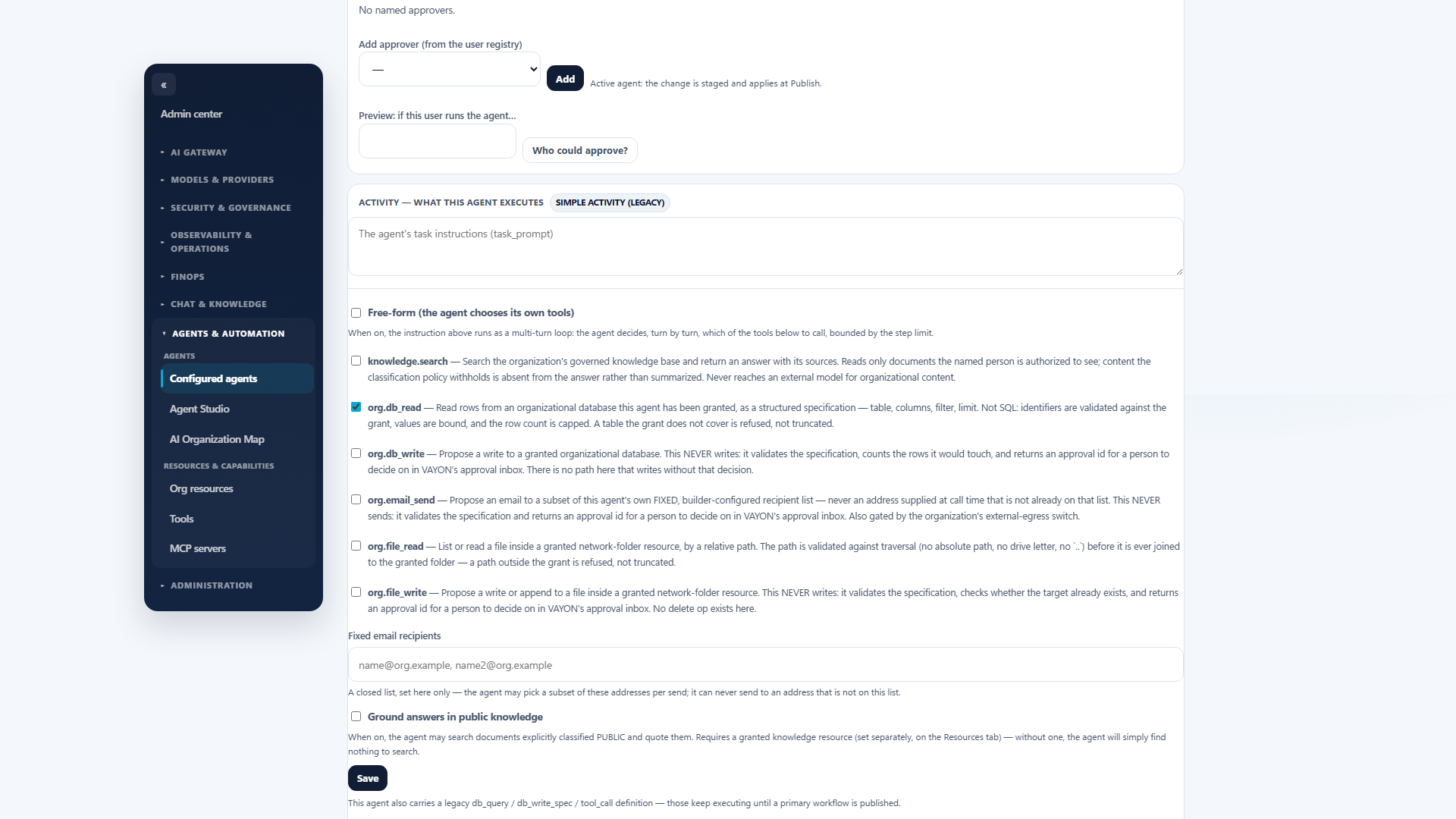
Agent Studio uses the same authoritative agent, workflow, resource and permission models as the runtime — there is no parallel permission system. Start from governed templates and business roles, validate the design, simulate access against the same authorization primitive the runtime uses, review a deterministic risk assessment, publish a version with a field-level diff that shows where permissions widened, inspect run evidence including a decision receipt, and roll a definition change back.
- Explicit resource and operation grants, tools, workflows, scheduled runs and human approvals.
- A Test Lab that evaluates scenarios with the runtime's own authorization primitive rather than re-implementing it.
- Deterministic risk assessment — a bounded helper, never a model's judgement, and it blocks nothing by itself.
- Versioned publish with an impact diff, and rollback of definition changes. Credentials are never held in a snapshot, and live resource grants are not reverted by a rollback.
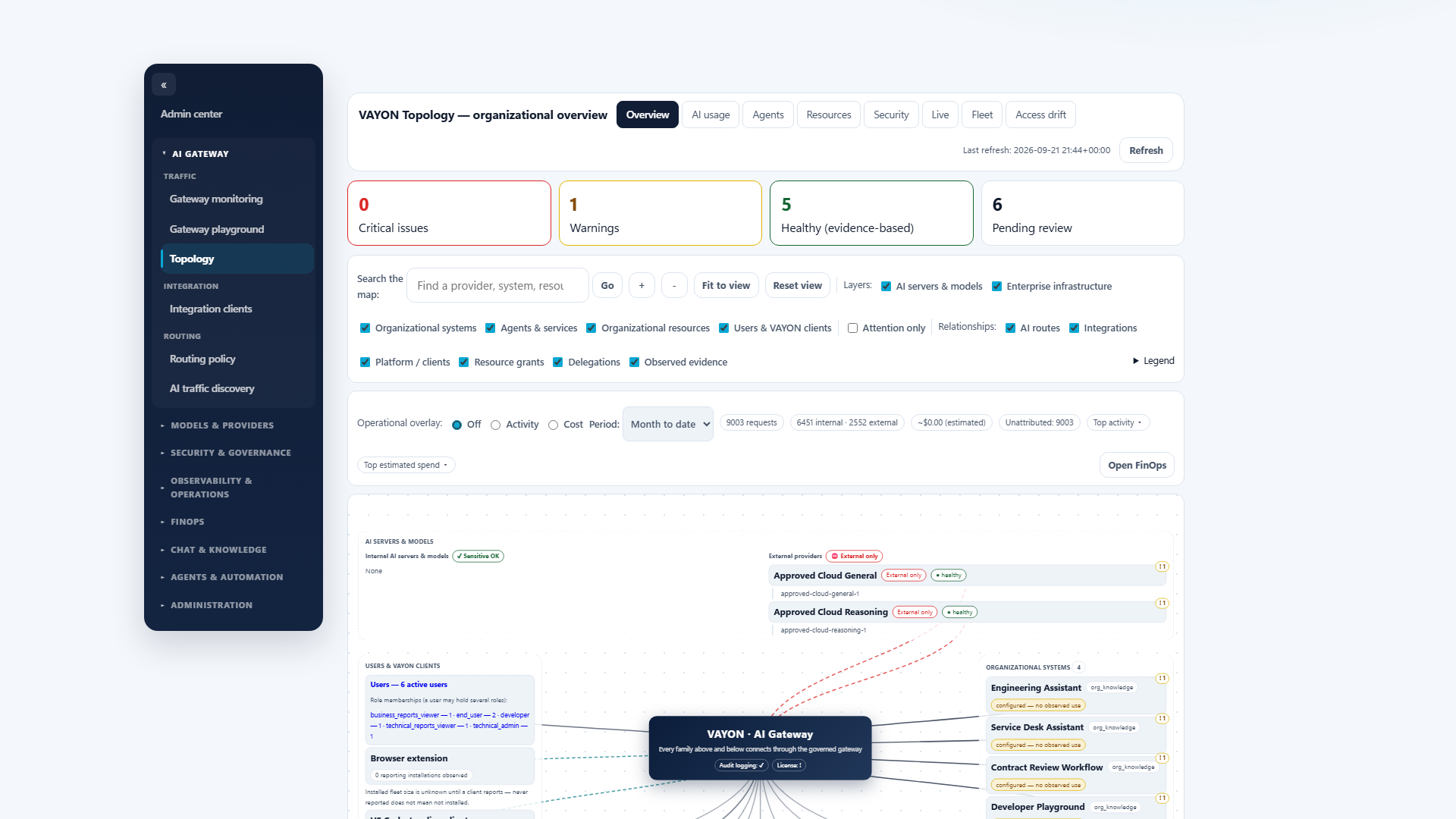
The AI Organization Map
See agents, resources, systems, models and governed relationships in one organizational map, with declared relationships kept visually distinct from observed activity. Activity and cost overlays are available where the evidence supports them, and a broken overlay never blanks the structural map.
Governed, not hands-off
Vayon AI governs agents built anywhere — it registers them, binds their identities, sets their permissions, evaluates their actions and keeps the evidence. It provides a governed runtime for enterprise agents and workflows, with explicit resource and operation grants, tools, scheduled runs, human approvals and auditable runs. Agents act within policy, and anything that mutates stops for a one-time human approval — a governed runtime, not an open framework that runs arbitrary code.
See an agent approved, refused and recorded
The interesting part of agent governance is what happens when an agent asks for something it should not get.